

Joe Danger + Joe Danger 2: The Movie Bundle
90%


 Add To Cart

 Add To Cart




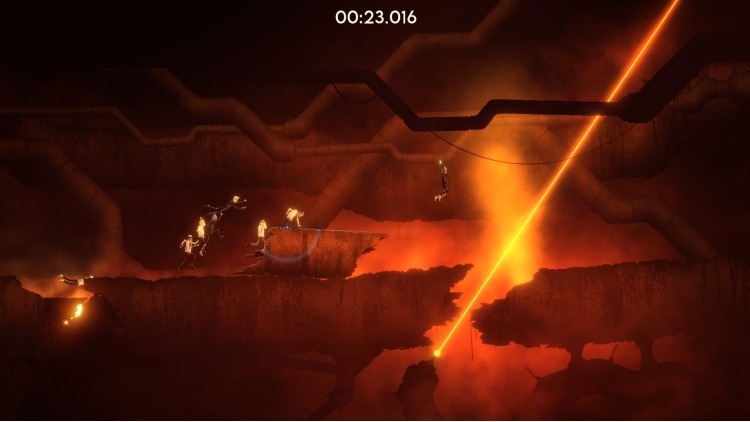

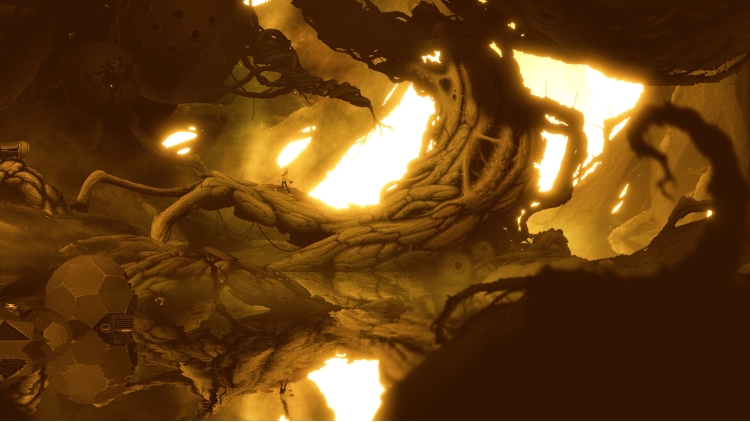
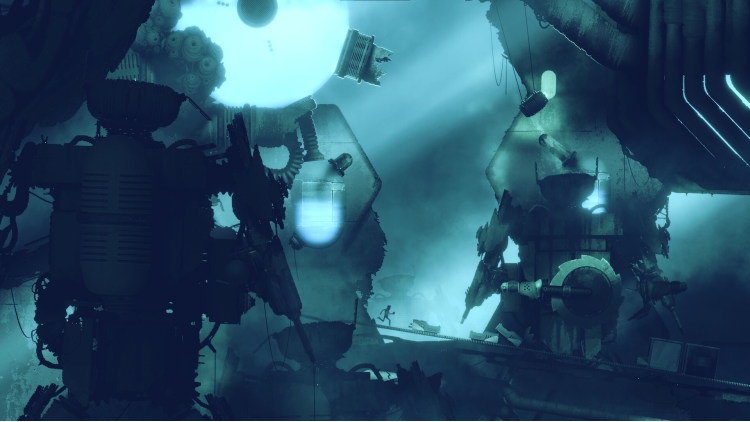


A scientist uses a unique teleportation instrument to escape an ancient biomechanical world filled with imaginative technology, deadly traps, and hidden secrets.
The Swap Mechanic and Realistic Physics System
Central to Bionic Bay is an innovative swap mechanic and a realistic physics system. When combined, these offer a new way of interacting with the environment – from shifting gravity to interchanging positions with objects and adversaries, and to move, defend, or attack. But be careful not to burn, break, freeze, explode, or vaporize in the process.
An Ancient Biomechanical World
Plunge into an ancient, biomechanical world teeming with imaginative devices, mysterious technology, and peculiar inhabitants. Get lost in the vast sci-fi landscapes in gritty high-density pixel art style and suspenseful sound design that makes each biome distinct. Attempt to uncover the secrets of the ancient world.
Platforming Built for Speedrunning
Fluid movement and reactive physics make for high adrenaline and action-packed moments in each uniquely designed level. Creatively navigate around the many curious hazards by precisely executing the right combination of swaps and maneuvers. And perhaps… have a go at completing each level as fast as you can.
Online Mode: Competitive Speedrunning, Leaderboards, and Character Customization
Test your mastery in timed races against other players’ ghosts and leave them in the dust to claim the top spot on the leaderboards. Stay stylish while trying and recognizable on the boards using the in-game feature that lets you create your very own scientist. And through it all, remember not to rest on your laurels, as the Online Mode updates with new events regularly.
Create, Share, and Play Custom-Made Levels
The in-game level editor is a great avenue for imaginative members of the Bionic Bay community to get creative, empowering them to design their own custom-made levels. Experiment with a variety of assets and elements used in the world of Bionic Bay to create challenges and share them to the players across the world to enjoy.
© 2025 Mureena and Psychoflow Studios. Published by Kepler Interactive Limited. All rights reserved.
Buy Bionic Bay PC game code quickly and safely at the best prices guaranteed via the official retailer usa.etail.market
© 2025 Mureena and Psychoflow Studios. Published by Kepler Interactive Limited. All rights reserved.
1)
Download & install the Steam client on your
computer from here.
2)
Open the Steam client, register and login. Then,
locate the Games tab on the top menu. Click that and select “Activate a Product
on Steam..”

3)
Enter your code that is showed on the orders page
of eTail. Market and and follow the steps showed to activate your game.

4)
The game can be monitored now and you can see it
on the "Library" section on Steam. You can download and install the
game now.
5)
If you need more information and support, you
can click here: https://help.steampowered.com/en/wizard/HelpWithSteam
 90%
Add To Cart
90%
Add To Cart
 91%
Add To Cart
91%
Add To Cart
 0%
Add To Cart
0%
Add To Cart
 66%
Add To Cart
66%
Add To Cart
 12%
Add To Cart
12%
Add To Cart
 91%
Add To Cart
91%
Add To Cart