

 Monday 28 September 2026
 Ferhunde
Where Can Humanoid Robots Be Used? As robot technology continues to develop rapidly in recent years, humanoid robots have become one of the most rema...
See more
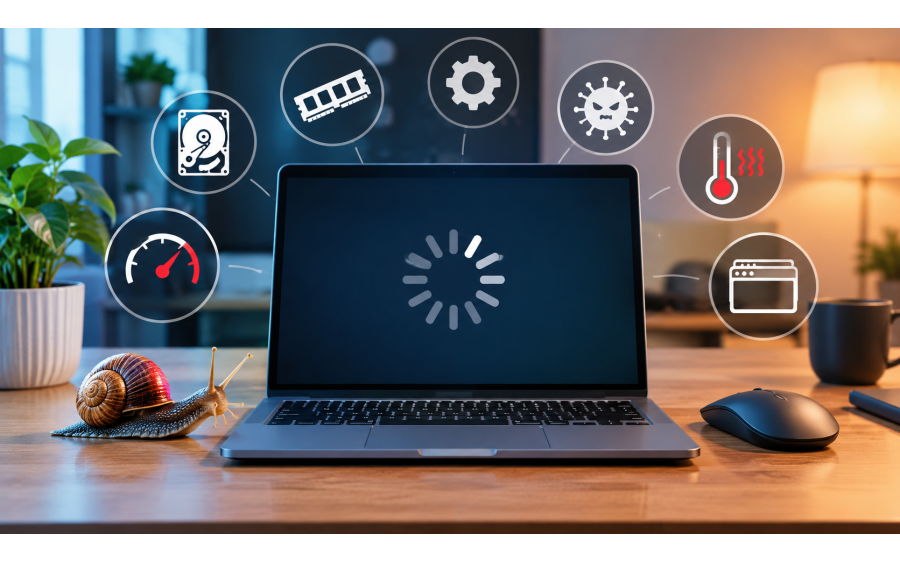
As computers are used over time, they may gradually lose some of their initial performance. Programs may take longer to open, files may load more slowly, games may experience FPS drops, and the computer's startup time may increase. So, why does a computer slow down?
There is no single reason why a computer becomes slower. Insufficient RAM, limited storage space, outdated hardware, background applications, outdated drivers, and malware can all negatively affect computer performance.
In this article, we will explore why computers slow down, the factors that can cause performance problems, and answer the question how to speed up a computer.
There are many different factors that can cause a computer to become slower over time. Performance problems caused by software and hardware can become more noticeable, especially on computers that have been used for a long period of time.
One of the most common reasons why a computer slows down is having very little free storage space. In particular, insufficient free space on the drive where the operating system is installed can affect overall system performance.
Large games, videos, photos, downloaded files, and unused programs can take up a significant amount of storage space over time.
For this reason, it is important to regularly remove unnecessary files and maintain enough free storage space on your computer.
RAM helps the computer quickly handle temporary data related to applications that are running simultaneously. When the amount of RAM available is insufficient for the programs being used, overall system performance may decrease.
Using many browser tabs at the same time, playing games, editing videos, or running graphics-intensive applications can consume a significant amount of RAM.
If the computer supports it, upgrading the RAM can provide a noticeable performance improvement, especially on older systems.
Some applications are configured to start automatically when the computer boots. Even when they are not actively being used, these applications can consume system resources.
Having too many applications running at startup can:
Increase the computer's startup time.
Increase RAM usage.
Consume CPU resources.
Reduce overall system performance.
Checking startup applications and disabling unnecessary ones can help the computer start faster.
Viruses, spyware, and other types of malware can negatively affect computer performance. Some malicious programs may run in the background and consume CPU, RAM, or internet resources.
For this reason, it is important to use reliable security software and keep the operating system up to date.
If a computer suddenly becomes slower during normal use, the possibility of malware should also be considered.
Outdated operating systems and hardware drivers can sometimes cause performance or compatibility problems. Graphics card drivers, in particular, can be important for gaming performance.
Keeping Windows updates and hardware drivers up to date can help improve compatibility, security, and overall system stability.
However, it should not be assumed that every update will automatically make a computer faster. Updates are primarily designed to provide security improvements, compatibility fixes, bug fixes, and new features.
On older computers, using an HDD (Hard Disk Drive) can make the system feel slower. Due to their mechanical design, HDDs are generally slower than modern SSDs, particularly when it comes to random data access.
If the computer supports it, replacing an HDD with an SSD can make a significant difference in areas such as operating system startup, application loading, and file access.
For this reason, upgrading from an HDD to an SSD can be one of the most effective hardware upgrades for speeding up an older computer.
High temperatures can also cause computer performance problems. When the processor or graphics card reaches certain temperature levels, it may reduce its operating speed to protect itself.
This can be particularly noticeable when playing games or using applications that require significant processing power.
Dusty fans, poor airflow, and thermal paste that has deteriorated over time can contribute to higher temperatures.
Regular cleaning and proper cooling can help maintain computer performance.
Installing many programs over time can leave unused applications on the computer.
Temporary files, browser cache, and old installation files can also occupy unnecessary storage space.
Removing unused programs and cleaning unnecessary files can help keep the system organized and running efficiently.
Modern web browsers such as Google Chrome can use a significant amount of RAM when many tabs are open simultaneously.
Keeping dozens of tabs open at the same time can cause performance problems, especially on computers with limited RAM.
Closing unused tabs and removing unnecessary browser extensions can help improve system performance.
No computer can meet the requirements of modern software and games indefinitely. As the processor, graphics card, RAM, or storage technology becomes outdated, newer applications may place greater demands on the system.
System requirements for modern games also tend to increase over time, which can lead to performance issues on older computers.
In such cases, software-based solutions may have limited effects, and a hardware upgrade may be necessary.
When a computer becomes slow, the first step should be identifying the source of the problem. The same solution may not work for every computer.
The following steps can help improve computer performance:
Remove unnecessary programs.
Disable unused startup applications.
Keep enough free storage space available.
Delete unnecessary and temporary files.
Keep the operating system up to date.
Check and update hardware drivers.
Perform a security scan.
Keep the computer's fans and air vents clean.
Upgrade the RAM if necessary.
Consider replacing an HDD with an SSD.
Consider upgrading outdated hardware when necessary.
Although it is not possible to completely prevent a computer from slowing down over time, regular maintenance can help reduce performance degradation.
First, avoid installing programs that you do not need, do not download files from untrusted sources, and keep your operating system up to date.
In addition, preventing the storage drive from becoming completely full, protecting the computer against overheating, and regularly backing up important files can help maintain the system in the long term.
Where Can Humanoid Robots Be Used? As robot technology continues to develop rapidly in recent years, humanoid robots have become one of the most rema...
See more

The SILENT HILL series has long been recognized as one of the defining names in psychological horror. Rather than relying solely on traditional jump s...
See more
